

The lock on the back door works on the bench and fails once it is on the door. The garage sensor reports late or not at all. Knowing how to extend Z-Wave range is mostly knowing how the mesh routes a command, which devices pass it on, and what sits in the way. This guide covers the order to work in, where a Z-Wave repeater helps, and what to do when the device is in another building.
How do you extend Z-Wave range?
Add mains-powered Z-Wave devices between the controller and the weak device, because powered switches, dimmers and plug-in modules repeat signals while sleeping battery devices generally do not. Then run the controller’s network heal so routes update. For a detached building, consider Z-Wave Long Range or a second controller.

How a Z-Wave mesh network carries a command
In a Z-Wave mesh network, the controller does not need to reach every device directly. If the lock is out of reach, the command can travel through one or more devices that are closer, each forwarding it to the next. The Z-Wave Alliance describes mesh networks as letting signals hop from node to node until they reach the destination.
Two limits shape every job. First, only some devices forward traffic, so the mesh is as strong as the powered devices in it, not the device count. Second, a route can pass through only a limited number of repeaters, and the Alliance notes that each added hop can add latency. A long chain is not the goal; a short, solid path is.
For the protocol basics, band and node counts, see our comparison of Z-Wave vs Zigbee for security dealers. This guide assumes a classic Z-Wave network run from a panel or hub.
Which devices act as a Z-Wave repeater
A device can only repeat if its radio is listening all the time. Mains-powered devices can afford that. Battery devices sleep most of the time to save power, so they generally do not repeat, even if they wake often to receive commands, as many locks do.
| Device type | Power | Usually repeats? | Role in the mesh |
|---|---|---|---|
| In-wall switch or dimmer | Mains | Yes | Fixed repeater on the lighting circuit |
| Plug-in module or outlet | Mains | Yes | Repeater you can move to fill a gap |
| Dedicated range extender | Mains | Yes | Repeater with no load attached |
| Door lock | Battery | Generally no | End device that needs a nearby route |
| Contact, motion or leak sensor | Battery | Generally no | End device that wakes to report |
The table shows the usual pattern, not a rule for every product. The device manual states whether it acts as a repeater, so check it before counting a device as part of the backbone.

How to extend Z-Wave range: plan from the controller out
Most range problems are fixed before any extra hardware is bought. Work in this order:
- Place the controller well. Central, off the floor and away from metal. A panel tucked in a closet corner starts every route at a disadvantage.
- Install the powered devices first. Switches, dimmers and plug-in modules form the backbone, so include them before the battery devices.
- Include battery devices last, in place. A lock included on the bench learns neighbours it will never see on the door.
- Look at the gaps. Walk the floor plan and note where battery devices sit with no powered device between them and the controller.
In-wall smart switches are often the best backbone, because they are spread through the house and never unplugged. Many need a neutral at the box; our guide to the smart switch neutral wire requirement covers that check.

Adding a Z-Wave repeater where the mesh is thin
When a gap remains, add a powered device inside it. Any mains Z-Wave device that repeats will do. A plug-in module also gives the owner a useful outlet, while a dedicated extender has no load and nothing to switch off by accident.
- Place it in the gap, not at the edge. The repeater must reach the controller, or another repeater, reliably, as well as the problem device.
- Keep it in the open. Not behind a television, inside a cabinet or low behind furniture.
- Use outlets that stay powered. A module on a switched outlet drops out of the mesh whenever the wall switch is off.
- Prefer several moderate gaps to one big one. Two repeaters spread across a long house beat one at the far end.
A new repeater does not help until the other devices know it exists, which is the next step after installing it.
What blocks Z-Wave signals
Z-Wave’s sub-GHz radio passes through ordinary walls well, but some materials weaken it sharply. On security jobs the usual culprits are:
- Metal enclosures: a controller or radio card inside a steel panel can, or a module inside a metal box.
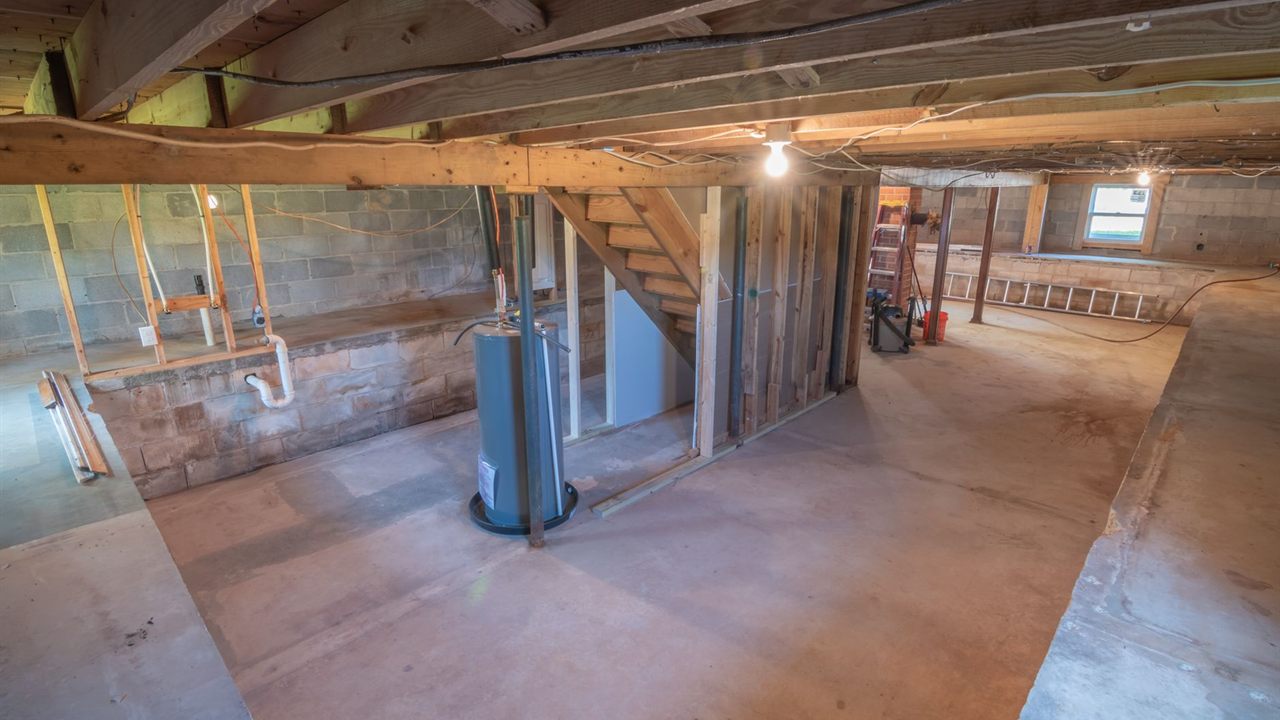
- Masonry and concrete: basement walls, block garages and floors with reinforcing mesh.
- Foil-faced insulation and metal siding: common between a house and an attached garage.
- Large appliances and mirrors: refrigerators, water heaters and mechanical rooms in the direct path.
Routing around an obstacle is usually easier than pushing through it. A repeater in a doorway or stairwell often reaches what one behind the wall cannot.

Outbuildings and long runs: Z-Wave Long Range and other options
A detached garage, barn or gate is where the mesh struggles most, because there may be no powered device between the buildings. There are three ways to handle it:
- Bridge with repeaters. A powered device near the facing wall of each building can close a short gap.
- Use Z-Wave Long Range. The Z-Wave Alliance Long Range technology page describes a star topology in which each device talks directly to the hub, with a maximum range of 1.5 miles in Long Range mode at full power. Both controller and device must support it, and classic mesh devices can share the same network.
- Add a second controller. Put a controller in the outbuilding and reach it over the property network; our guide on planning a point to point wireless link covers the link between buildings.
The 1.5 mile figure is a maximum, not a site promise. Walls, terrain and antenna placement reduce what any job achieves, so test before closing the wall.
Rebuild routes and test after every change
The controller holds the routes. After adding, moving or removing devices, run the network heal, rediscovery or neighbour update, whatever the panel calls it. Battery devices may need to be woken, or will update at their next wake-up, so allow time before judging the result.
Then test from the device’s final position: lock and unlock, trigger the sensor, and confirm the panel reports each event promptly. Remove failed or replaced devices from the controller properly, because a dead node left in the route table wastes retries and slows commands to its neighbours.
Where to find Z-Wave devices and controllers
The Bursma Z-Wave category lists locks and Z-Wave radio cards for panels, the 2GIG security panel category lists panels with built-in Z-Wave and related devices, and powered switches for the backbone are in the lighting controls category. All sit within the security, surveillance and control division.
For pricing and availability, ask your sales representative through the Bursma contact page. If you install for a living, apply for a Bursma dealer account.
Frequently asked questions
Do battery-powered Z-Wave devices act as repeaters?
Generally no. Battery devices sleep to save power, so they cannot listen continuously and pass traffic on. Locks that wake frequently to receive commands still rely on powered devices nearby for their route.
Do I need a dedicated Z-Wave repeater?
Often not. Mains-powered switches, dimmers and plug-in modules usually repeat as well, so a well placed powered device can do the same job and control a load too. A dedicated extender suits a spot with no load to control.
Where should I put a Z-Wave repeater?
Inside the gap, where it reaches both the controller or another repeater and the weak device reliably. Keep it in the open, on an outlet that is always powered, and run a network heal afterwards.
Does Z-Wave Long Range use repeaters?
No. Long Range uses a star topology, so each device talks directly to the controller. Both must support Long Range, and classic mesh devices can still run on the same network.