
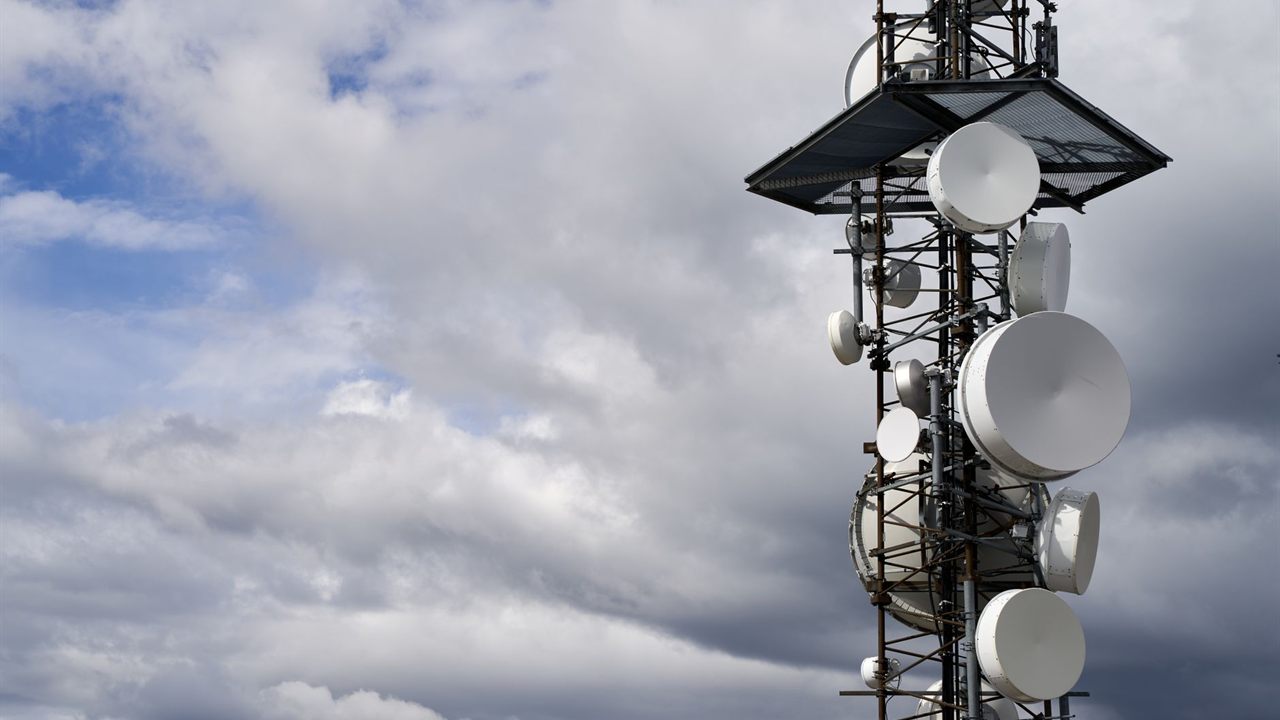
Weak cellular coverage inside a building is a common add-on request for installers already on site for security, network or audio work. Knowing how to install a cell signal booster properly decides whether the customer gets usable bars in every room or a box that blinks and shuts itself down. This guide covers the survey, antenna placement, cabling, testing and the FCC rules that apply before the booster is switched on.
How do you install a cell signal booster?
Measure the outside signal in dBm to find the strongest spot, mount the outside antenna high and aimed at the tower, and run coax to the amplifier in a dry, ventilated place. Put the inside antenna where coverage is needed, well separated from the outside one, then power up, check the lights and register the booster with the carrier.

What a booster kit contains and how it works
A fixed booster has three parts joined by coax. The outside (donor) antenna picks up the tower’s signal, the amplifier boosts it, and the inside (server) antenna rebroadcasts it into the building. The same path works in reverse for the phone’s uplink.
A booster amplifies existing signal; it cannot create coverage where there is none. If a phone finds no usable signal anywhere outside the building, a booster will not help. Bursma’s cell signal booster kits are the WIL801247 dual-band 800/1900 MHz desktop booster kit, the WIL841263 signal boost amplifier kit and the WISCAB-KIT cellular antenna booster kit.

FCC rules before you power up
The FCC’s consumer signal booster rules set two conditions for using a booster: approval from the wireless provider and registration of the specific booster with that provider. Providers that allow boosters must offer a free registration system. Consumer boosters sold after March 1, 2014 carry a label, and boosters with it have been approved by the major national carriers.
The rules also require the owner to turn the booster off if a provider or the FCC asks because it is causing interference. Install only a labelled consumer booster, and give the customer the carrier registration step as part of the handover.

Survey the site and the carrier
Ask which carriers everyone in the building uses, then check which bands those carriers rely on in the area. A dual-band 800/1900 MHz kit only boosts carriers on those bands, so match the kit to the carrier before quoting.
Measure signal in dBm with a phone’s field test screen or a signal meter, not with bars. Booster makers describe readings of about -50 dBm as excellent and about -120 dBm as no service. Walk the outside of the building and the roofline, and note where the reading is strongest and in which direction.
Inside, note where people actually use their phones: offices, a kitchen, a reception desk or a basement workshop. Those spots set where the inside antenna goes, and the distance from them to the roof tells you how much cable the job needs.

Choosing the outside and inside antennas
The antenna types decide both the reach and the coverage pattern, so pick them from the survey results.
| Antenna | Mounted | Pattern | Use when |
|---|---|---|---|
| Directional outside | Roof or mast, aimed at the tower | Narrow beam | Weak signal from one tower |
| Omni outside | Roof or mast, clear all round | All directions | Fair signal, towers in several directions |
| Panel inside | Wall, facing the area served | Directional | Long rooms, one side of a building |
| Dome inside | Ceiling, centre of the area | All round, downward | Open floors and central rooms |
Cell booster antenna placement outside
Mount the outside antenna as high as practical, near the roof edge on the side facing the tower. Point a directional antenna away from the building toward the tower, and make small aiming changes while watching the dBm reading.
Do a soft install first: set the antenna up temporarily, test, and only then fix the mount and pull cable. Use solid wireless antenna mounts or mast sections, and bond the mast and coax the same way you would for grounding a TV antenna, following local code.
Separating the antennas to stop oscillation
If the inside antenna’s output reaches the outside antenna, the amplifier feeds back on itself. Boosters detect this oscillation and reduce gain or shut down, which shows as warning lights and poor coverage.
- Booster install guides commonly call for about 20 feet of vertical or 50 feet of horizontal separation.
- Vertical separation works better than horizontal, so roof to lower floor is ideal.
- Point the outside antenna away from the inside one, and the inside antenna away from the outside one.
- A metal roof or masonry wall between the two antennas adds isolation.
Running cable and placing the amplifier
Keep the run from the outside antenna to the amplifier as short as possible, because cable loss comes straight off the incoming signal. Use the cable and connectors the kit specifies: some kits use 50 ohm cable and others 75 ohm, and the two do not mix.
Put the amplifier in a dry, ventilated spot away from heat and direct sun, near an outlet. Where the coax passes through risers or air spaces, check the jacket rating against our CMR vs CMP cable guide, and seal the wall entry against water.
Placing the inside antenna for in-building cellular signal
Put the inside antenna where coverage matters most: a panel on a wall facing the office or living area, or a dome on the ceiling at the centre of an open floor. In-building cellular signal is strongest near the antenna and fades with each wall.
Coverage shrinks as outside signal weakens. A strong reading at the outside antenna can serve a large floor, while a marginal one may only cover a room or two, so set that expectation before the job starts.
A multi-floor building may need more than one inside antenna, or a larger system quoted separately.
Power up, test and hand over
- Connect every cable before applying power to the amplifier.
- Power on and read the indicator lights against the kit’s manual.
- If the lights show oscillation or overload, add separation or re-aim, then retest.
- Measure dBm in each room and record the readings for the job file.
- Walk the customer through carrier registration and the turn-off obligation.
Where to buy cell booster kits
Bursma Distributing sells only to dealers, installers and integrators, and has done so since 1947. Booster kits sit in the Broadband and WiFi division alongside mounts, mast and cable, so one order covers the job.
Dealers see their own pricing and stock in Shop Online after logging in. Open a dealer account, or call the Wyoming, Michigan branch at 616-831-0080 or the Columbus, Ohio branch at 614-299-9040.
Frequently asked questions
Do I need to register a cell signal booster?
Yes. FCC rules require the owner to register the booster with the wireless provider before use, and providers that allow boosters offer registration free.
Will a booster work if there is no signal outside?
No. A booster needs a usable signal at the outside antenna to amplify. Mounting the antenna higher or aiming it better can find signal, but a site with none anywhere outside needs another solution.
How far apart should the booster antennas be?
Booster install guides commonly call for about 20 feet vertically or 50 feet horizontally. Follow the kit’s manual, and increase the distance if the amplifier reports oscillation.
Does one booster work for every carrier?
Only for carriers using the bands the booster covers. Check each carrier’s bands in the area against the kit before quoting.